Dependency Viewer
Dependency Viewer displays a SQL Server table's direct foreign-key relationships as an interactive visual map in SSMS.
Explore connected tables and understand how a table relates to the rest of the database.
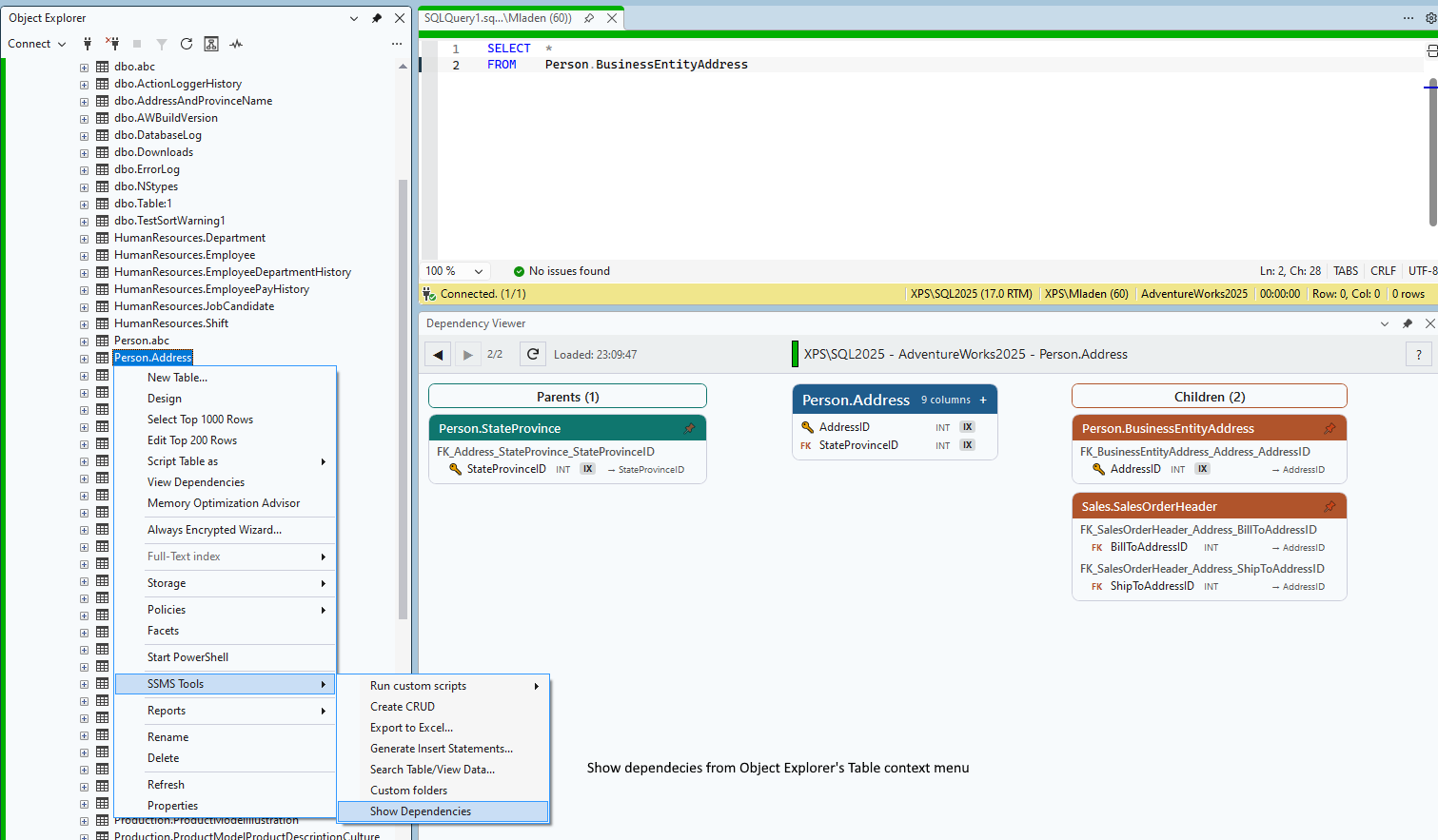
The map shows first-level dependencies you can drill-down into. Double-click a table title to explore that table's relationships, and use Back and Forward to revisit previously viewed tables. Refresh reloads dependency information from the database. The viewer identifies the server, database, and table so you can distinguish objects with the same name in different environments.
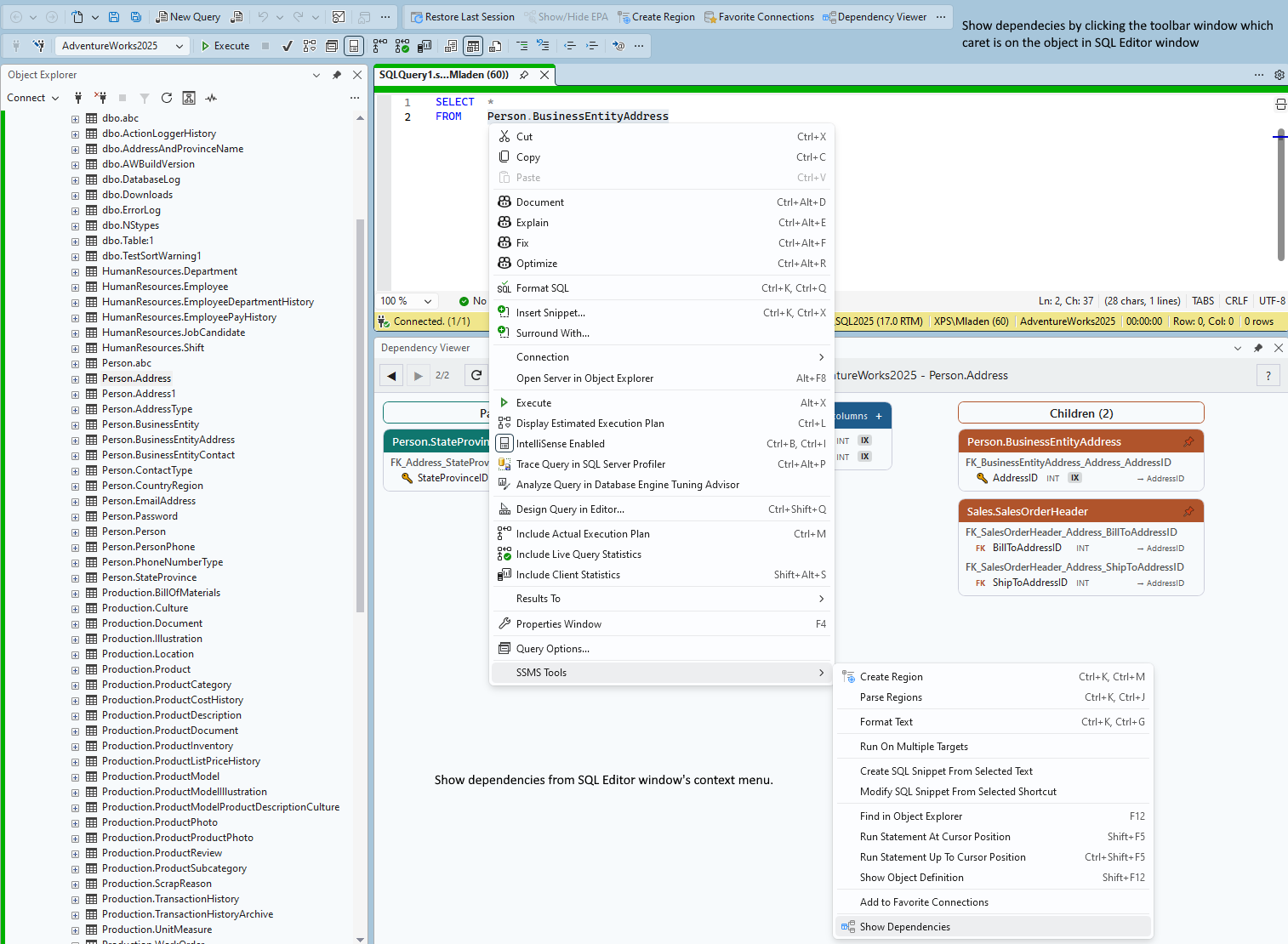
Open it from a table's context menu in Object Explorer, or place the cursor on a table name in the SQL editor and use the toolbar command or SQL editor context menu.
The map shows first-level dependencies you can drill-down into. Double-click a table title to explore that table's relationships, and use Back and Forward to revisit previously viewed tables. Refresh reloads dependency information from the database. The viewer identifies the server, database, and table so you can distinguish objects with the same name in different environments.
Open it from a table's context menu in Object Explorer, or place the cursor on a table name in the SQL editor and use the toolbar command or SQL editor context menu.